
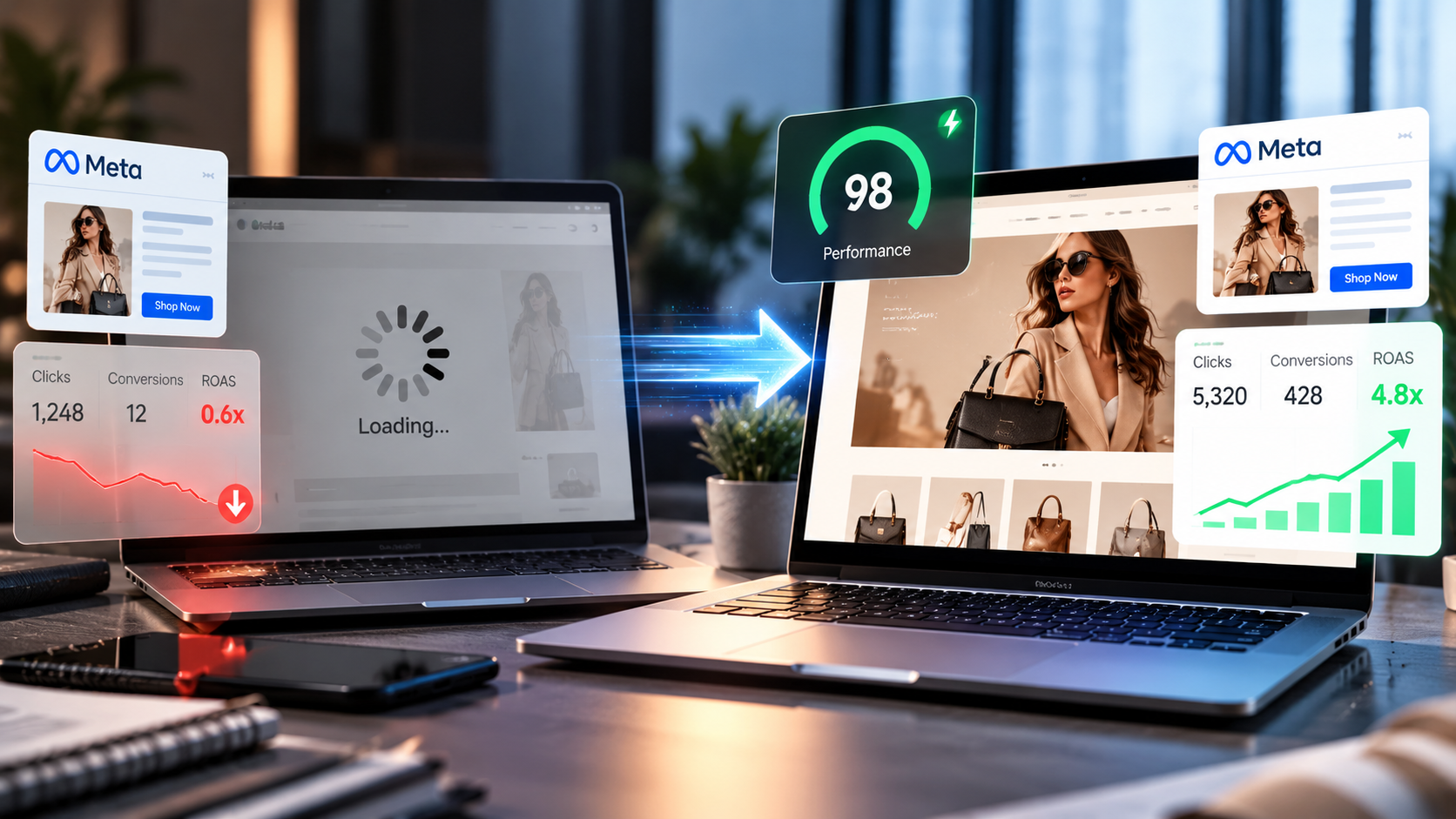
You launched a Meta campaign. The creative looks great, and the targeting feels right. People are clicking. Yet sales stay flat, and your budget keeps shrinking.
This is a common and frustrating situation. In many cases, the problem isn’t the ad at all. Instead, it’s what happens after the click.
A slow landing page can quietly destroy your return on ad spend (ROAS). Every extra second of load time pushes potential buyers away. As a result, you pay for clicks that never turn into customers.
In this guide, we’ll explain why page speed matters so much for Meta ads. We’ll also show you how to spot the problem and fix it fast.
Understanding the Slow Landing Page Meta ADs ROAS Connection
ROAS measures how much revenue you earn for every dollar spent on ads. For example, a 4x ROAS means you earn $4 for every $1 spent. It’s one of the clearest signs of campaign health.
However, ROAS depends on more than your ad. It relies on the full journey from click to purchase. Your landing page sits right in the middle of that journey.
When that page loads slowly, the whole conversion funnel breaks down. Users leave before they see your offer. Consequently, your ad spend rises while revenue stays the same.
Why Meta Traffic Is Especially Sensitive to Speed
Meta users behave differently from search users. They aren’t actively hunting for a product. Instead, they’re scrolling casually through Facebook or Instagram.
This means their patience is very low. If your page doesn’t load quickly, they simply tap back and keep scrolling. There’s no strong intent holding them on your page.
In addition, most Meta traffic comes from mobile devices. Mobile networks can be slower and less stable. Therefore, mobile performance becomes critical for any Meta campaign.
The In-App Browser Problem
When someone clicks your ad, the page often opens inside the Facebook or Instagram app. These in-app browsers can load pages more slowly than standard browsers. They may also handle heavy scripts poorly.
As a result, a page that feels fine on your desktop may crawl inside the app. Many advertisers never test this experience. Unfortunately, that blind spot costs them real money.
How Slow Pages Drain Your Ad Budget
Slow load times hurt your campaigns in several connected ways. Let’s break down the biggest ones.
1. You Pay for Clicks That Never Land
Meta often charges you for link clicks, even if the page never loads. So, if a user clicks and leaves during loading, you still pay. That click delivers zero value.
Meanwhile, Meta tracks the gap between link clicks and landing page views. A big gap often signals a speed issue. Over time, these lost visits add up to a serious waste of budget.
2. Bounce Rates Climb Fast
Bounce rate shows how many visitors leave without taking action. Slow pages almost always push this number higher. People don’t wait around for content to appear.
If you want to fix high bounce rate on Facebook ADs, speed is often the first place to look. Even small delays can cause a sharp rise in exits. Thankfully, this problem is very fixable.
3. Your Cost Per Acquisition Rises
Cost per acquisition (CPA) is what you pay to gain one customer or lead. When fewer visitors convert, each conversion costs more. That pushes your CPA up and your ROAS down.
For instance, imagine you spend $1,000 and earn 50 sales. Your CPA is $20. Now, if slow loading cuts sales to 30, your CPA jumps to over $33.
4. Meta’s Algorithm Learns the Wrong Lessons
Meta’s delivery system optimizes based on results. It looks for people likely to convert. However, it needs steady conversion data to learn well.
When your page loses visitors, Meta gets fewer conversion signals. Consequently, the algorithm struggles to find your best audience. Your campaigns may get stuck in the learning phase longer.
5. Ad Relevance and Delivery Can Suffer
Google Ads uses a metric called Quality Score. Meta doesn’t use that exact term. Instead, it offers relevance diagnostics such as quality ranking and conversion rate ranking.
Meta also considers landing page experience when delivering ads. A poor post-click experience can weaken your ad relevance. As a result, you may pay more to reach the same people.
Signs Your Landing Page Is Too Slow
Not sure if speed is your problem? Watch for these warning signs in your data:
- Large gap between link clicks and landing page views in Meta Ads Manager
- High bounce rate from paid social traffic in your analytics tool
- Strong click-through rate but weak conversions on your campaigns
- Mobile conversion rates far below desktop rates
- Long load times when you test the page on your own phone
If you notice two or more of these signs, speed is likely hurting your results. The good news is that you can measure it easily.
How to Measure Landing Page Load Time
You can’t fix what you don’t measure. Luckily, several free tools help you test page speed quickly.
Use Core Web Vitals as Your Benchmark
Google created Core Web Vitals to measure real user experience. These metrics focus on loading, responsiveness, and visual stability. You can learn more in Google’s official guide to Core Web Vitals.
Here are the three key metrics:
- Largest Contentful Paint (LCP): Measures how fast the main content loads. Aim for 2.5 seconds or less.
- Interaction to Next Paint (INP): Measures how quickly the page responds to taps and clicks. Aim for 200 milliseconds or less.
- Cumulative Layout Shift (CLS): Measures how much the layout jumps around while loading. Aim for 0.1 or less.
Helpful Testing Tools
Try these tools to check your landing page performance:
- Google PageSpeed Insights: Gives mobile and desktop scores with clear suggestions.
- GTmetrix: Shows a detailed timeline of how your page loads.
- Chrome DevTools: Lets you simulate slower mobile networks.
- Meta Ads Manager: Compare link clicks to landing page views for each ad.
Always test on mobile first. After all, that’s where most of your Meta traffic lives.
Proven Ways to Speed Up Your Landing Pages
Now for the good part. Here are practical steps that improve load time and protect your ROAS.
Compress and Resize Images
Large images are one of the biggest causes of slow pages. Many sites upload photos far bigger than needed. Instead, resize images to fit their display size.
Also, use modern formats like WebP or AVIF. These formats keep quality high while cutting file size. Finally, lazy load images that appear lower on the page.
Cut Unnecessary Scripts and Plugins
Every tracking pixel, chat widget, and plugin adds weight. Over time, these extras pile up. As a result, your page slows to a crawl.
Review every script on your page. Keep only what you truly need. For example, you might remove an unused chat tool or old analytics code.
Use a Fast Host and a CDN
Your hosting provider affects how fast your server responds. Cheap shared hosting often struggles under heavy ad traffic. Therefore, upgrade to quality hosting when you scale campaigns.
A content delivery network (CDN) also helps. It stores copies of your page on servers around the world. That way, users load content from a location close to them.
Simplify Your Page Design
Busy pages with sliders, videos, and animations load slowly. They can also distract visitors from your main goal. In contrast, simple pages load faster and convert better.
Focus on one clear offer and one clear action. Remove anything that doesn’t support that goal. This approach helps both speed and user experience.
Build Pages Made for Ads
Many brands send ad traffic to their homepage or a general product page. These pages usually carry heavy navigation and extra content. They weren’t built for paid visitors.
This is where custom landing page development for AD traffic makes a huge difference. A dedicated page loads faster and matches your ad message. It guides visitors straight toward one action.
Beyond Speed: Conversion Rate Optimization for Meta Campaigns
Speed gets visitors onto your page. However, your page still needs to convince them to act. That’s where conversion rate optimization for Meta campaigns comes in.
Match Your Ad and Landing Page Message
Your landing page should feel like a natural next step from your ad. Use the same headline style, images, and offer. This consistency builds trust right away.
When the message doesn’t match, visitors feel confused. Consequently, they leave quickly. Matching messages is a simple way to fix high bounce rate on Facebook ADs.
Place Your Offer Above the Fold
Mobile users see very little of your page at first. So, put your headline, key benefit, and call to action at the top. Don’t make people scroll to understand your offer.
Keep Forms Short
Long forms scare away leads. For lead generation, ask only for what you truly need. Often, a name and email are enough to start.
Add Trust Signals
Visitors from social media may not know your brand yet. Therefore, add reviews, testimonials, or trust badges. These elements reduce doubt and boost conversions.
Test and Improve Over Time
Conversion rate optimization is an ongoing process. Run A/B tests on headlines, buttons, and layouts. Then keep the winners and test again.
Why Custom Landing Pages Beat Templates
Page builders and templates are quick to set up. However, they often come loaded with extra code. That bloat can slow your page down significantly.
By contrast, custom landing page development for AD traffic gives you full control. Developers can strip out waste and build only what you need. As a result, pages load faster and convert more visitors.
Custom pages also make testing easier. You can adjust layouts based on real campaign data. Over time, this approach strengthens conversion rate optimization for Meta campaigns across your entire account.
Frequently Asked Questions
How fast should my landing page load for Meta ads?
Aim for your main content to load in 2.5 seconds or less. Faster is always better. Mobile users from Meta are very impatient, so every second counts.
Does page speed affect Meta ad costs?
Yes, it can. Meta considers landing page experience when delivering ads. Slow pages also reduce conversions, which raises your cost per acquisition.
How can I fix high bounce rate on Facebook ADs?
Start by improving page speed. Next, match your landing page message to your ad. Also, place your offer above the fold and keep forms short.
Should I send Meta ad traffic to my homepage?
Usually, no. Homepages often contain too much content and navigation. A dedicated landing page loads faster and focuses visitors on one action.
What tools can I use to test landing page speed?
Try Google PageSpeed Insights, GTmetrix, and Chrome DevTools. In addition, compare link clicks to landing page views in Meta Ads Manager.